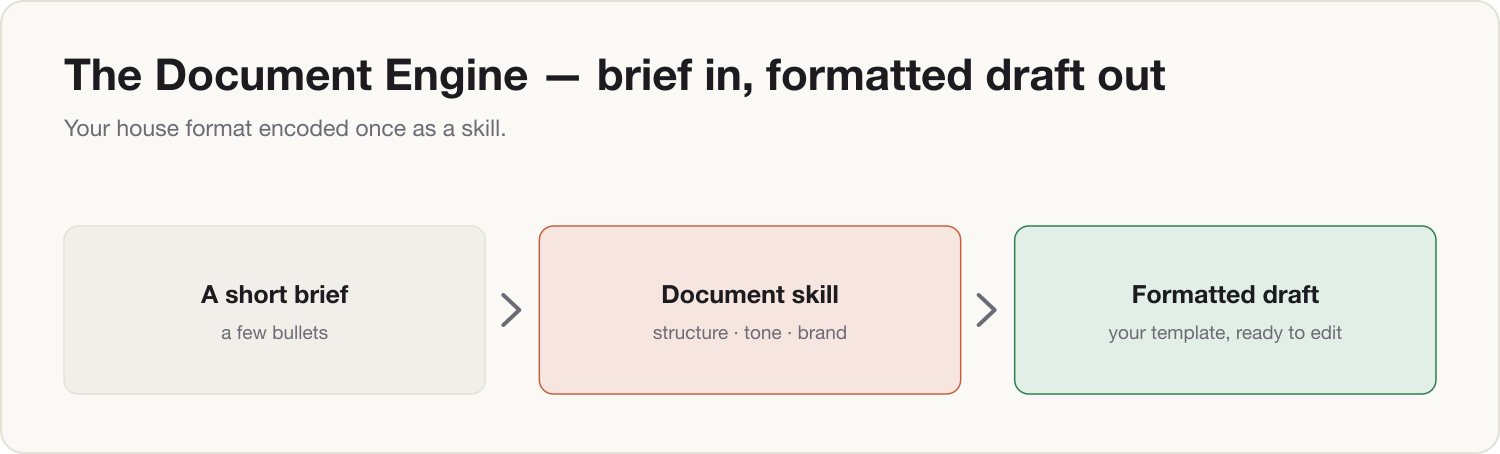
By the end of this install, you type a three-line brief — "Weekly update, w/c 6 July. Wins: pilot signed. Risk: hiring slip." — and Claude returns a complete first draft in your house format: your sections, your headings, your length limits, your tone. Not a generic AI document you then spend forty minutes reshaping. Yours, from the first line.
The mechanism is a document skill: your format rules written down once, loaded into every chat, obeyed every time. You build it in 18 minutes and reuse it for years.
Prerequisites
- Install 0 (The Kernel) — lane decided, training switched off.
- Install 1 (Your Voice) — recommended, so drafts sound like you as well as look like you.
- Install 0.5 (The Firewall) — required if you'll build from real work documents on a personal account.
- Two or three past examples of your most-repeated document (weekly update, board summary, client one-pager, deck outline).
- The document skill template (download below).
Build steps
-
Pick one format. The document you produce most often — not your favourite, your most repeated. One format now; once you've done this you can clone the process for the others in five minutes each.
-
Gather two or three past examples. Lane B: use the real documents. Lane A: run them through your Anonymizer skill first, or rebuild them with placeholder names and rounded numbers — the format survives, the confidential content doesn't.
-
Have Claude reverse-engineer the format. Paste this, with your examples:
You are going to learn one of my document formats so you can draft it on demand. Below are two examples of my [weekly update / board summary / client one-pager]. Study them and produce a FORMAT SPECIFICATION — not a draft — covering: 1. Structure: every section in order, and the job each section does. 2. Headings: the exact heading wording and style I reuse. 3. Length: words or bullets per section, and total length. 4. Tone: formality, sentence length, how numbers are presented, how bad news is phrased. 5. Always / Never: anything that appears in every example (e.g. a "Decisions needed" box) and anything I clearly avoid (jargon, exclamation marks, passive voice). Where the examples disagree, flag it and ask me which one is the rule. Present the specification as a numbered list I can correct line by line. --- EXAMPLE 1 --- [paste example 1] --- EXAMPLE 2 --- [paste example 2] -
Correct the specification. This is the step that makes it yours. Reply in plain language: "Section 2 is always three bullets, never prose. The risks section comes before the asks. I never open with context-setting." Claude got you 80% right; you supply the 20% that is actually your judgment.
-
Turn the corrected spec into a skill file. Paste:
The specification is now correct. Convert it into a reusable skill file in markdown
with these sections: Purpose, When to use, Structure, Formatting rules, Tone rules,
Always / Never, and one worked mini-example.

Rules for the skill file:
- Write every rule as an instruction to you, the assistant ("Open with...", "Never exceed...").
- Include no real names, clients, or figures — use placeholders like [CLIENT] and [£X].
- Keep it under 400 words so it loads fast.

I will save this file and reuse it in every future chat.
Save the output as
document-engine-weekly-update.md(or whatever your format is). If you use Claude Projects, paste it into the project's instructions; if your plan supports Skills, upload it there. The downloadable template below shows the finished shape if you'd rather fill it in by hand. -
Test it with a live brief. New chat, skill loaded:
Use my document skill. Draft this week's [weekly update] from this brief: - Audience: [who reads it] - Wins: [two or three bullets] - Risks: [one or two bullets] - Numbers that must appear: [figures] - Decisions needed: [if any] Match the structure, length, and tone rules exactly. Write it in my voice. -
Tighten once. Whatever is off, say so — and make the fix permanent:
Close, but: [e.g. "section 2 is twice as long as I ever write it, and I never
open with pleasantries"]. Fix the draft, then update the skill file so this rule
is permanent. Show me the revised skill.
Re-save the skill. That correction loop is the whole maintenance model: every time a draft misses, one sentence updates the rule forever.
The Two-Lane note
Lane A (personal Claude): build the skill from anonymized or placeholder versions of your documents — the Firewall skill from Install 0.5 does this in one pass. The skill file itself must contain no client names, deal values, or internal figures; check it before saving, because you'll paste it into chats for years. Day to day, your briefs go in anonymized too: "[CLIENT], ~£2M" not the real pair.
Lane B (company Claude Team/Enterprise): paste the real documents as source and brief with real data — that's what the contractual no-training terms are for. The upgrade move: put the skill in a shared Project, and everyone on your team drafts on-format from day one. Your house style becomes infrastructure, not folklore.
Component shipped
You now have a document skill: your report or deck format encoded as rules Claude follows on every draft, compounding with your voice skill so the output reads like you wrote it in your own template. Tomorrow morning, when the weekly update falls due, you type the three-line brief and edit a finished draft instead of writing one.