By the end of this install, the weekly task you dread most runs from a single line — and you hold a time receipt that says so in numbers: "Before: 2 hours every Monday. After: 15 minutes of review. Hours back this year: 84."
This is the capstone. There is nothing new to learn. You already own the four patterns — a voice skill (Install 1), a scheduled task (Install 2), triggered workflows (Install 3), and a document skill (Install 4). Today you point them at the one task you'd pay real money never to do again, and you measure what happens.
Prerequisites
- Installs 1–4 built and working — you'll reuse them, not rebuild them.
- Install 0.5 (The Firewall) if you're on Lane A and the task touches work data.
- The component-design worksheet and the time receipt template (downloads below).
- An honest number: how long the task takes you now, per week. Guess if you must — but write it down before you build.
Build steps
-
Pick the task. The right candidate is weekly or more frequent, dreaded, and mostly information-processing — gathering, reformatting, summarizing — rather than judgment. If you're torn, let Claude referee:
Help me choose one recurring task to delegate to you. Here are the tasks I do every week and roughly how long each takes: - [e.g. Compile the Monday ops summary from four team updates — 90 min] - [e.g. Prepare the client pipeline review — 60 min] - [e.g. Expense coding and chasing — 45 min] Score each task 1–5 on: (a) how rule-based it is, (b) how much of it is gathering and reformatting information rather than exercising judgment, (c) how much I dread it. Recommend the single best candidate, and tell me which part of that task must stay with me. -
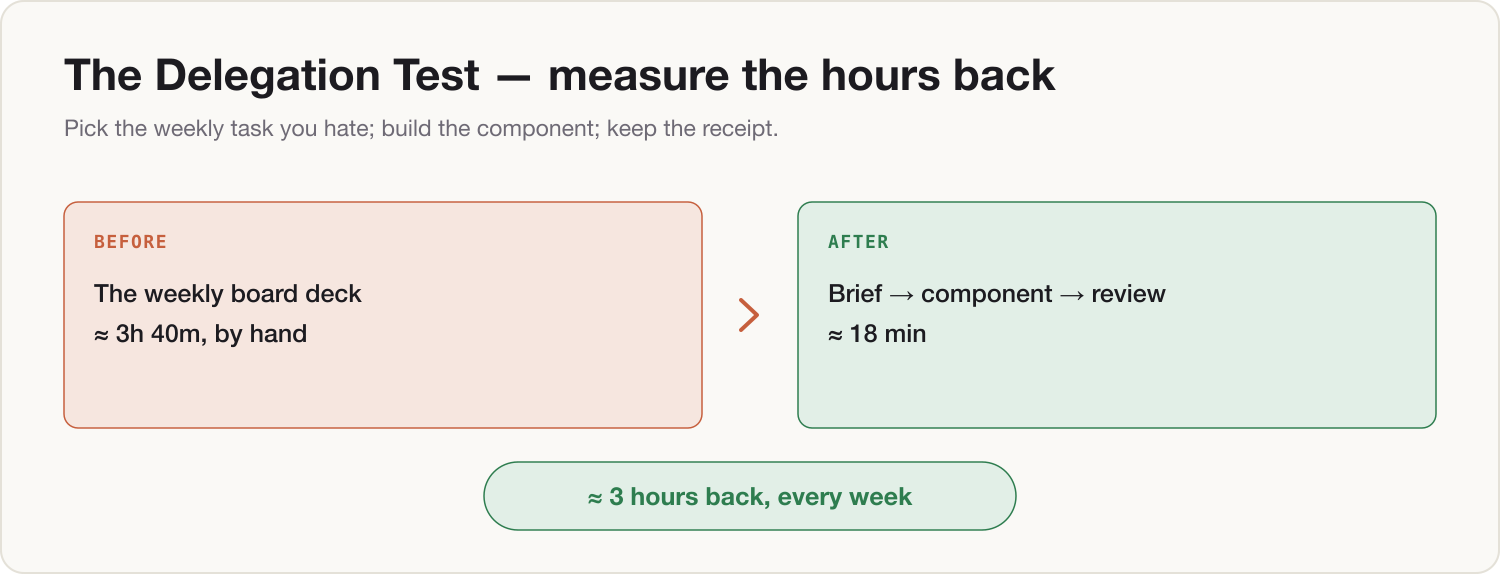
Write the "before" line now. Open the time receipt and record the current cost — minutes per week, measured or honestly estimated — before you build anything. A receipt written after the fact convinces nobody, including you.
-
Decompose the task. Open the component-design worksheet, then let Claude interview you into filling it:
Interview me about this task so we can turn it into a component. Ask one
question at a time, no more than eight questions total, covering: what
triggers the task, what inputs arrive and from where, the steps I actually
follow, which steps need my judgment, what the finished output looks like,
and who receives it.

Then produce a completed component design with this structure:
Trigger / Inputs / Steps (each marked "process" or "judgment") / Rules /
Output format.
Answer honestly, especially about the judgment steps — those stay yours. The component does the processing; you keep the calls.
-
Match the design to a pattern, then build. On-demand transformation → a skill. Runs on a clock → a scheduled task. Fired by an event (a meeting ends, a request lands) → a reusable workflow prompt. Then:
Using the component design above, build the component: - If it is a skill: write the skill file, in the same format as my document and voice skills. - If it is a scheduled task: write the exact task instruction I should schedule, including timing and delivery format. - If it is a workflow: write the single reusable prompt I will paste each time, with [PLACEHOLDERS] for the inputs that change. Reuse my existing components wherever they fit: write in my voice, and use my document skill for anything formatted. -
Run it against last week. Feed it last week's real inputs (Lane A: Firewall-scrubbed first) and compare the output to what you actually produced by hand. Fix the gaps the way you did in Install 4 — state the correction, have Claude update the component permanently. Two passes is normal; more than three means a judgment step snuck into the process column, so move it back to you.
-
Fill in the receipt. Run the task for real this week, time the review, and complete the time receipt: before, after, delta, multiplied by 48 working weeks. Keep it where you'll see it — and consider posting it. Your receipt is the most persuasive thing you will ever write about AI, because it's not an opinion.
The Two-Lane note
Lane A (personal Claude): choose a task whose inputs are personal, public, or survive anonymization — and run every input through the Firewall skill before it reaches Claude. Some tasks won't fit: if the job is "reconcile named client financials weekly," raw data on a personal account is a line you don't cross. That's a finding, not a failure — write the task on your Install 9 list as evidence for getting the company lane.
Lane B (company Claude Team/Enterprise): pick any task on the list, and let connectors fetch the inputs themselves — the component reads the source documents instead of you pasting them, which is where the biggest time wins hide. Then put the receipt to work: it is a one-page business case, in hours, from a named manager. Whoever owns the budget reads receipts.
Component shipped
You now have one bespoke component doing your most hated weekly task, built entirely from patterns you already owned — plus a time receipt proving what it's worth. Tomorrow morning, when the task falls due, you trigger it with one line, review for fifteen minutes, and bank the rest.