It's 7:40 on Monday morning. Your weekly report to the board is sitting in a draft — numbers pulled from this week's actual data, sections in the exact order your reader expects, written in your voice. You read it for four minutes, fix one line, and send it. Nobody wrote it. That is what's running by the end of this install: a report that generates itself on schedule, from real data, and waits for your signature.
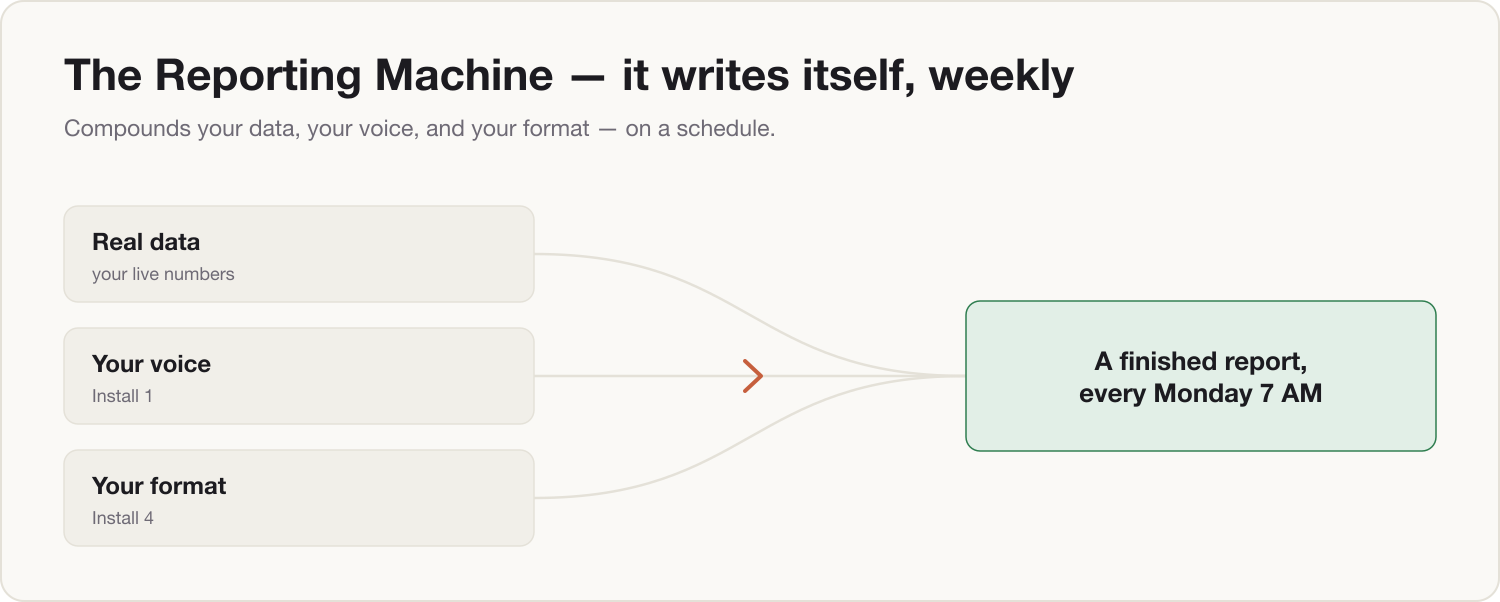
This is the first install where three of your earlier components work as one machine: your voice skill (Install 1) supplies the tone, your document engine (Install 4) supplies the format, and the scheduling habit from your morning brief (Install 2) supplies the clock.
Prerequisites
- Install 1 — Your Voice: your writing-style skill.
- Install 4 — The Document Engine: your report format encoded as a skill.
- Install 2 — The Morning Brief: you've built a scheduled task before.
- One real recurring report you send weekly (board update, team summary, ops review).
- The data source you build it from today — a spreadsheet, a dashboard export, a set of updates.
- 18 minutes.
Build steps
-
Write the Report Spec. The machine needs a fixed definition of "good" or it will drift. Let Claude interview you — paste this:
You are helping me define the specification for my recurring weekly report. Interview me one question at a time — no more than 8 questions total — to establish: (1) who reads this report and what decision they use it for, (2) the sections it must contain, in exact order, (3) the 3–5 numbers that must appear every week and where each one comes from, (4) what "good" looks like — target length, level of detail, and what my reader complains about when it's wrong, (5) the day and time it must be ready. When you have enough, output a single "Report Spec" block in markdown that I can save and reuse verbatim.Save the spec block it produces. This is now the contract every future report is checked against.
-
Assemble the machine. This is the master prompt that joins voice, format, and data. Paste it, filling the brackets (the download at the end of this guide is this template, ready to edit):
Use my writing-voice skill and my document-engine format for the "Weekly Report". Data: [Lane B: read the connected sources — the KPI sheet, the pipeline view, and team updates from the last 7 days. | Lane A: I will paste this week's numbers and updates below.] Produce the report exactly to the saved Report Spec: 1. Follow the section order in the spec — add no new sections. 2. Every number must come from the data provided. If a number is missing, write [MISSING: name] instead of estimating. 3. Open with the three-sentence summary my reader expects: what changed, why, and what I'm doing about it. 4. Flag anything that moved more than 10% week-over-week in a single "Watch items" line. 5. Match the length in the spec. Cut, don't pad. Below the report, list separately every assumption you made — I will check these before sending. -
Dry-run it on last week. Feed it last week's real data and compare the output to the report you actually sent. Then tighten the spec with one correction pass:
Here is the report you produced and here is the version I actually sent last week. Compare them. List the differences as edits to the Report Spec — not as one-off fixes — so next week's draft is right by default. Then show me the updated Report Spec.One round of this is usually enough. The corrections live in the spec, so the machine improves permanently, not per-draft.
-
Put it on the clock. Create a scheduled task exactly as you did in Install 2, set for the morning before your report is due — Monday 6:00 for a Monday report. The task's instruction is your master prompt from step 2. On Lane B, the task reads connected sources itself and the draft is waiting when you wake up. On Lane A, schedule it as your reminder-plus-workspace: the task opens with the master prompt ready, you paste the week's scrubbed numbers, and the draft appears in under a minute.
-
Install the four-minute review. The machine drafts; you sign. Read the assumptions list first, resolve any
[MISSING]flags, then read top to bottom once. Never send unread — that rule is what makes this credible with a board rather than career-limiting.
The Two-Lane note
Lane A (personal Claude, no company workspace): the machine runs on data you paste, after it has been through your Firewall skill (Install 0.5) — real figures rounded or re-based, no client names, no NDA material. No work connectors, ever. The cost is one manual paste per week; everything else is identical. Note what the paste step costs you — that friction is a line in your Install 9 business case.
Lane B (company Claude Team/Enterprise): connect the real sources — the KPI spreadsheet, the reporting dashboard, the team channel — and the scheduled task pulls live numbers with no paste step and no scrubbing, under the company's contractual no-training terms. This is the full version of the machine, and the difference between the two lanes is exactly one Install 9 away.
Component shipped
You now have a recurring report that writes itself: a saved Report Spec, a master reporting prompt, and a scheduled task that runs them against real data in your voice and format. Tomorrow morning it's one line: open the draft, check the assumptions, sign, send.