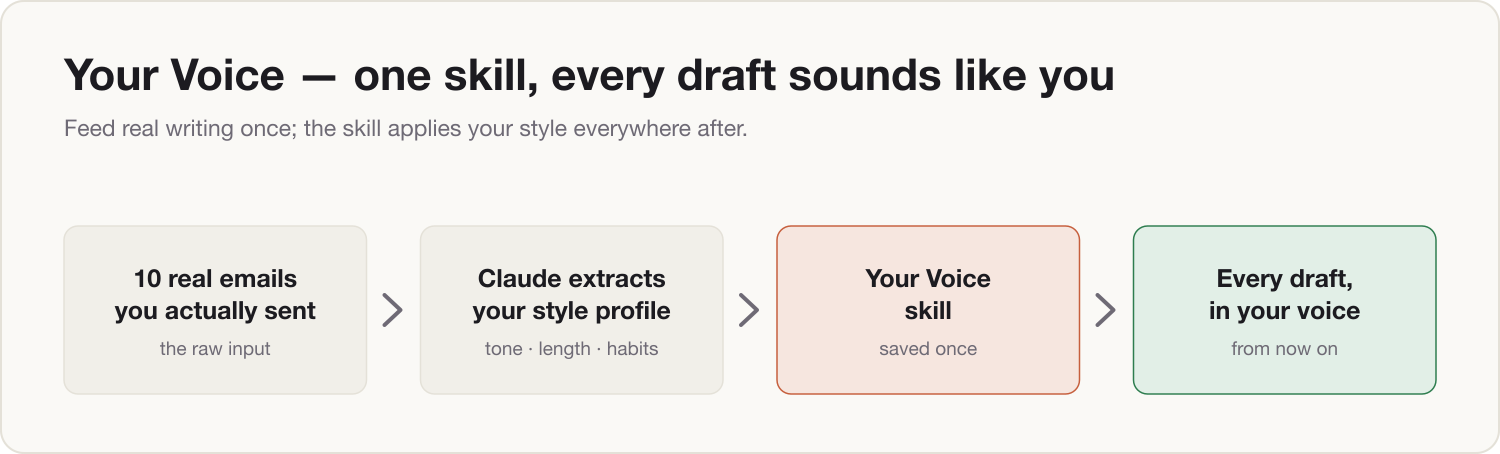
You type one line — "Reply to Amir: we're in, but the timeline moves to March" — and Claude hands back an email that sounds like you on a good day. Your greeting, your sentence rhythm, your way of softening a no. That's what's running by the end of this install: a voice skill, built from ten emails you actually wrote, saved once, and applied to every draft from now on. No more "make it less formal" ping-pong. No more AI-flavored prose you rewrite from scratch. One working session, and the skill is permanent.
Prerequisites
- Claude set up per Install 0: model training switched off, Lane Decision made.
- If your samples are work emails and you're on a personal account: the Anonymizer skill from Install 0.5.
- Ten emails or documents you wrote yourself — step 1 shows you how to pick them.
- A Claude plan that supports Skills or Projects (Pro and above).
Build steps
-
Pick ten real samples. The skill is only as good as its evidence. Choose pieces that are written by you — not your team, not legal — and that sound like you at your best. Aim for a spread: two or three short replies, a decision note, one longer update, and at least one hard message (a no, a pushback, bad news). The hard message matters most — that's where your voice is most distinct, and where generic AI writing fails hardest.
-
Scrub if needed. On a personal account with work emails: run each sample through your Firewall skill first — names become roles, figures become rounded ranges, clients become descriptions. Your style survives scrubbing completely. Style lives in structure and rhythm, not in the nouns.
-
Extract the style profile. Open a fresh chat, paste this, then paste your ten samples underneath it:
I'm going to paste ten emails I wrote. Analyze how I write — not what the emails say — and produce a style profile precise enough that another writer could imitate me from it alone. Cover each point, quoting short phrases from my emails as evidence: 1. Tone and register — formal or informal, warm or direct, and when I shift between them 2. Openings — greetings and first lines I actually use 3. Sign-offs I actually use 4. Sentence length and rhythm 5. Structure — do I lead with the ask or the context? How long are my paragraphs? 6. Difficult messages — how I say no, push back, or deliver bad news 7. Vocabulary — phrases I reuse, and words I clearly avoid 8. Formatting habits — bullets, bold, line breaks If anything is inconsistent across the samples, flag it and ask me to settle it. Here are the ten emails, separated by ---: [PASTE YOUR TEN SAMPLES] -
Correct it. Claude will get about 80% right; you fix the rest in two sentences. Read the profile against your own instinct and reply:
Close, but corrections: 1. [What it got wrong — e.g. "I'm more direct than this with my own team; the diplomatic register is for external email only."] 2. [What it missed — e.g. "I never use exclamation marks at work."] Also strike these phrases — I would never write them: [LIST ANY]. Update the profile and show me the final version. -
Package it as a skill. Download the voice skill template below, then:
Format the final style profile as a skill file using the template below. Fill every bracketed section with my actual patterns, keep the quoted examples from my emails, and keep the output rules at the end exactly as written.

[PASTE THE VOICE SKILL TEMPLATE]
Save the result: in Claude, go to Settings → Capabilities → Skills, upload the file, name it "My Voice". If Skills isn't available on your plan, paste it into a Project's instructions instead and do your drafting from that Project.
-
Test it on something it has never seen.
Using my voice skill, draft an email to a colleague: I'm moving Thursday's review to early next week because two of the inputs aren't ready, and I'd rather use the extra days to pressure-test the numbers than present half of them. Keep it short.Read it against your gut. Close but not quite? One more correction round in the step 4 format. Then you're done — for good.
The Two-Lane note
Lane A (personal account). Source your samples from personal email, or from work emails scrubbed through the Firewall skill — always pasted, never fetched. Do not connect a work inbox to a personal Claude account, even just to collect ten emails. The finished profile describes style patterns, not confidential content, so once it's built from scrubbed inputs, the skill itself is clean to keep on your personal account.
Lane B (company Team or Enterprise account). Paste work emails as-is, or use the company email connector to pull your ten best sent items directly. The skill lives in the company workspace — and later, Install 8 uses this exact pattern to package team SOPs the same way.
Component shipped
A voice skill: your writing style, extracted, corrected, and saved — now applied automatically to every draft. Tomorrow morning, first email of the day: type "Use my voice skill — reply to [name]: [your decision in ten words]", read it once, send it.