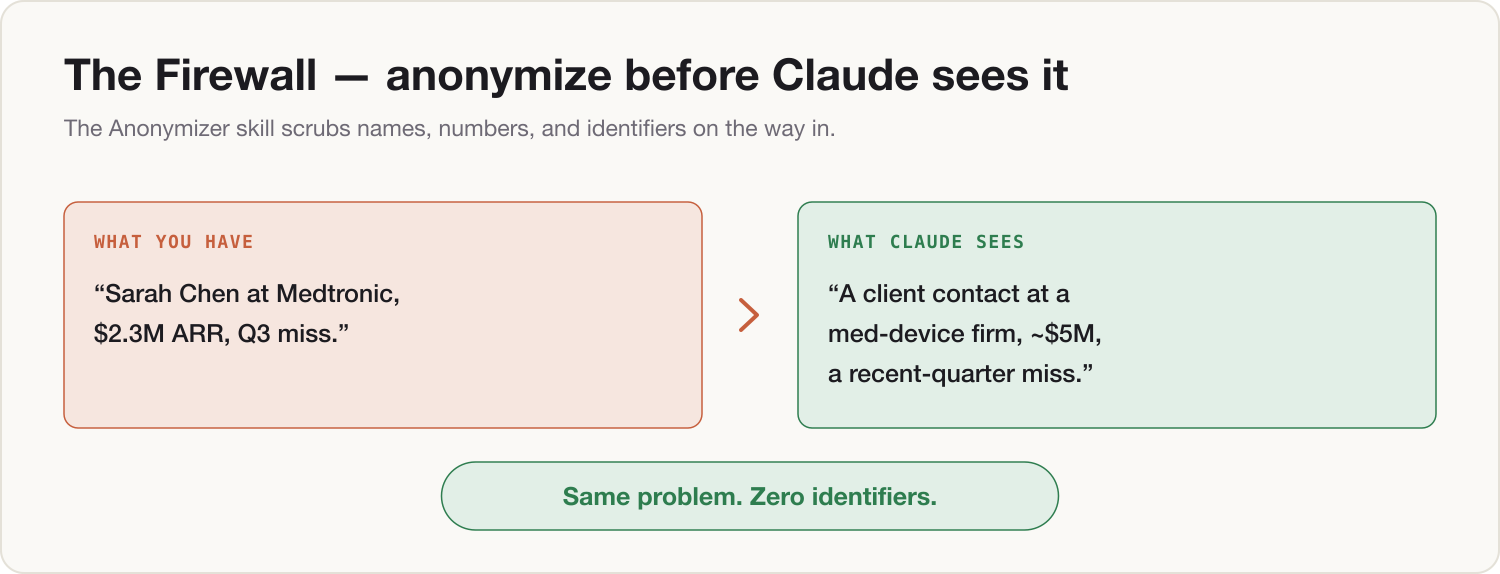
By the end of this install, you type "Run the anonymizer:" in front of a messy, confidential work paragraph — names, clients, figures — and Claude hands back a scrubbed version before any thinking starts. "Sarah Chen at Medtronic says the $2.3M renewal is at risk" comes back as "a senior client contact at a large medical-device customer says a renewal in the ~$5M range is at risk" — same problem, same relationships, nothing identifiable. That one habit is what makes your personal Claude usable for work problems without ever feeding it work data. You also leave with the never-paste list — the seven things that don't enter a personal AI in any form — and a five-minute monthly audit that keeps the whole setup honest. This is the install that makes every other install safe to run at work.
Prerequisites
- Install 0 complete: training off, Lane Decision taken, a My OS project with your me.md in it
- Your personal Claude account — this entire install is a Lane A component
- The two downloads below (skill file + audit checklist)
- 10 minutes
Build steps
-
Adopt the never-paste list. Seven categories never enter your personal Claude — not anonymized, not partially, not "just this once": source code; customer or patient data; company financials; NDA-covered material; credentials, passwords, and keys; contracts; meeting recordings or transcripts. Everything else about work — situations, descriptions, drafts, decisions — is the gray zone the anonymizer exists for. The list is printed at the top of the audit checklist download; keep it where you work.
-
Install the Anonymizer skill. Download the skill file below, open your My OS project, and paste its contents into the project instructions beneath your me.md. Or build it in one prompt:
Add this standing skill to how you work with me. Whenever I write "Run the anonymizer:" followed by text, rewrite that text with these rules before doing anything else: 1. Every person's name becomes a role ("our VP of Sales", "a client contact"). 2. Every company name becomes a description ("a large medical-device customer"). 3. Every exact number — money, percentages, quantities — becomes a fake but similar value that keeps the order of magnitude ("$2.3M" becomes "~$5M"; "17% churn" becomes "roughly 20% churn"). 4. Exact dates get blurred ("March 14" becomes "mid-Q1"). 5. Emails, phone numbers, product codenames, contract and account numbers are removed entirely. 6. The structure of the problem, who relates to whom, and the sequence of events stay intact — the scrubbed text must remain fully usable for analysis. Show me the scrubbed version first in a quoted block so I can check it, list what you replaced in one line, then ask what I want to do with it. Confirm you've understood with a one-line summary. -
Test-fire it. In the same project, paste:
Run the anonymizer: Sarah Chen at Medtronic emailed to say the $2.3M renewal is at risk after the March 14 outage. Legal wants the revised terms agreed by Friday. Help me plan the call with her boss, David Okafor.Check the scrubbed block before anything else happens: both names gone, company described not named, the figure fake-but-similar, the dates blurred. If anything slipped through, reply "you missed X" — the skill tightens on correction.
-
Learn the companion rule: paste the part, not the file. Never attach the whole contract, the full spreadsheet, the complete deck. Copy the two paragraphs your question is actually about, run them through the anonymizer, and work from that. The question you're asking rarely needs a tenth of what the file contains — and the file always contains things the question doesn't need.
-
Schedule the monthly connector audit. Put a recurring 5-minute slot in your calendar — first Monday of the month works — titled "Claude audit," and attach the checklist download. It walks you through: list every connector on every account, disconnect anything unused, confirm no work account has crept into the personal lane, confirm the training toggle is still off. Five minutes a month is the entire maintenance cost of this system.
The Two-Lane note
Lane A — personal Claude. The firewall is not optional here; it is the lane. Every work-flavored prompt passes through the anonymizer, the never-paste list is absolute, and the monthly audit is your proof of discipline — the thing you can say out loud to your GC or IT lead without flinching.
Lane B — company Claude Team or Enterprise. Internal company data is contractually protected there, so you don't anonymize your own material on the company account. The skill still earns its keep twice: scrub before anything leaves the company (a post, a vendor email, a conference slide), and remember that third-party confidential material — a customer's data, a partner's NDA-covered numbers — isn't yours to paste raw in any lane. The audit checklist runs monthly on both accounts.
Component shipped
An anonymizer skill installed in your My OS project, the never-paste list where you can see it, and a monthly audit on your calendar. Tomorrow morning, the first time a work problem needs outside thinking, start the message with "Run the anonymizer:" and paste — the firewall does the rest.